











Dikemaskini pada 28 Mac 2019.
watchOS 5.2
Apple telah melepaskan kemaskini watch OS 5.2 untuk peranti Apple Watch Siri 1 dan terbaru.
Kemaskini ini mengandungi aplikasi ECG khusus untuk Apple Watch siri 4 di mana ia membolehkan pengguna mengambil denyutan elektrokardiogram terus dari pergelangan tangan mereka.
Walaubagaimanapun buat masa ini, negara-negara yang menyokong aplikasi ECG tersebut adalah negara Austria, Belgium, Denmark, Finland, France, Germany, Greece, Guam, Hong Kong, Hungary, Ireland, Italy, Luxembourg, Netherlands, Norway, Portugal, Puerto Rico, Romania, Spain, Sweden, Switzerland, UK, US dan US Virgin Islands.
Aplikasi ECG itu juga memerlukan peranti iPhone 5s dan terbaru yang menggunakan sistem operasi iOS 12.2.
Selain itu, kemaskini ini juga melengkapi peranti Apple Watch Siri 1 dan terbaru dengan ciri notifikasi denyutan jantung yang tidak menentu.
- watchOS 5.2 (Build 16T225) for:
- Apple Watch Series 2 (38mm) (Watch2,3)
- Apple Watch Series 2 (42mm) (Watch2,4)
- Apple Watch Series 1 (38mm) (Watch2,6)
- Apple Watch Series 1 (42mm) (Watch2,7)
- Apple Watch Series 3 (38mm, LTE) (Watch3,1)
- Apple Watch Series 3 (42mm, LTE) (Watch3,2)
- Apple Watch Series 3 (38mm) (Watch3,3)
- Apple Watch Series 3 (42mm) (Watch3,4)
- Apple Watch Series 4 (40mm) (Watch4,1)
- Apple Watch Series 4 (44mm) (Watch4,2)
- Apple Watch Series 4 (40mm, LTE) (Watch4,3)
- Apple Watch Series 4 (44mm, LTE) (Watch4,4)
- watchOS 5.2 (Build 16T6225) for:
- Apple Watch Series 2 (38mm) (Watch2,3)
- Apple Watch Series 2 (42mm) (Watch2,4)
- Apple Watch Series 1 (38mm) (Watch2,6)
- Apple Watch Series 1 (42mm) (Watch2,7)
- Apple Watch Series 3 (38mm, LTE) (Watch3,1)
- Apple Watch Series 3 (42mm, LTE) (Watch3,2)
- Apple Watch Series 3 (38mm) (Watch3,3)
- Apple Watch Series 3 (42mm) (Watch3,4)
- Apple Watch Series 4 (40mm) (Watch4,1)
- Apple Watch Series 4 (44mm) (Watch4,2)
- Apple Watch Series 4 (40mm, LTE) (Watch4,3)
- Apple Watch Series 4 (44mm, LTE) (Watch4,4)
Juga kemaskini bagi macOS High Sierra, Sierra dan aplikasi Safari
Tidak lama selepas Apple memperkenalkan barisan servis terbaru mereka di acara It’s show time yang berlangsung pada awal pagi tadi, Apple turut melepaskan kemaskini terbaru bagi peranti iOS, macOS dan tvOS.
macOS Mojave 10.14.4
Versi penuh macOS Mojave 10.14.4 telah dilepaskan Apple hari ini. Anda boleh memuat turun kemaskini tersebut terus menerusi Mac anda dari System Preferences > Software Update.
Dalam kemaskini tersebut Apple telah memasukkan ciri yang menyokong servis terbaru Apple iaitu Apple News+, sokongan untuk peranti AirPods generasi ke 2, menambah baik kestabilan sistem operasi dan ciri keselamatan macOS.
Berikut adalah antara kandungan penting yang dimuatkan dalam kemaskini tersebut:-
Apple News+
- Apple News+ is a new subscription service that extends the Apple News experience with hundreds of magazines and top newspapers
Safari 12.1
- Adds Dark Mode support for websites that support custom color schemes
- Adds a warning when an insecure webpage is loaded
-
Removes support for the expired Do Not Track standard to prevent potential use as a fingerprinting variable; Intelligent Tracking Prevention now protects against cross-site tracking by defaul
Lain-lain
- Supports real-time text (RTT) for phone calls made through a nearby iPhone on Mac
- Provides enhanced support for external GPUs in Activity Monitor
- Improves the reliability of USB audio devices when used with MacBook Air, MacBook Pro and Mac mini models introduced in 2018
- Corrects the default screen brightness for MacBook Air (Fall 2018)
- Fixes a graphics compatibility issue that may occur on some external displays connected to Mac mini (2018)
- Resolves Wi-Fi connection issues that may occur after upgrading to macOS Mojave
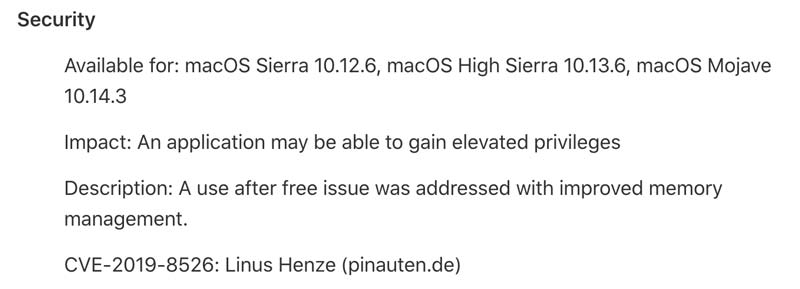
Jika anda ingin memuat turun fail kemaskini macOS Mojave 10.14.4 ini secara berasingan, anda boleh ke laman muka Download macOS Mojave 10.14.4 Update (2.53GB).
Atau anda juga boleh memuat turun versi fail kombo kemaskini tersebut di laman muka Download macOS Mojave 10.14.4 Combo Update (2.6GB).
Kemaskini keselamatan High Sierra dan Sierra
Selain Mojave, versi macOS terdahulu iaitu High Sierra dan Sierra masih lagi diambil berat oleh Apple dengan melepaskan kemaskini keselamatan terbaru untuk 2 versi macOS tersebut.
Anda boleh semak dan muat turun kemaskini tersebut terus dari Mac anda di bahagian Update Mac App Store.
Atau anda boleh ke laman muka Download Security Update 2019-002 (Sierra, 835.7MB) untuk memuat turun fail kemaskini tersebut secara berasingan.
iOS 12.2 dan tvOS 12.2
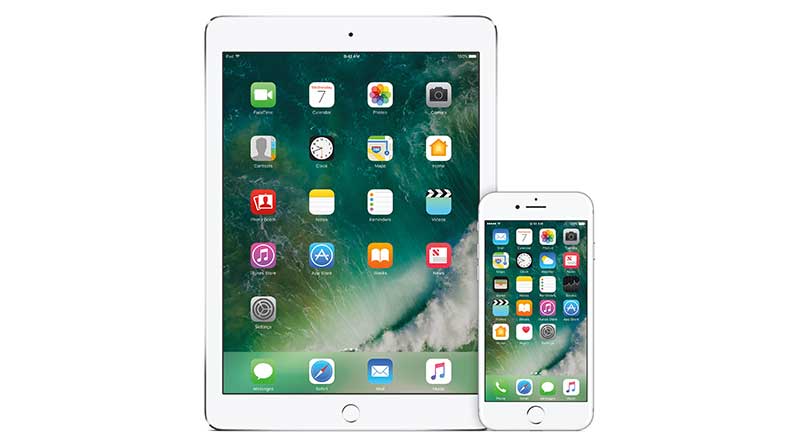
Bagi pengguna peranti iOS dan yang memiliki peranti Apple TV pula, anda boleh memuat turun kemaskini terbaru iOS 12.2 dan tvOS untuk peranti anda.
Kemaskini ini adalah bagi pengguna peranti iPhone 5s dan terbaru, iPad Air dan terbaru serta iPod touch generasi ke 6 yang menggunakan versi iOS 12.
OS 12.2 (Build 16E227) :
- iPad Air (Wi-Fi) (iPad4,1) — Download
- iPad Air (Cellular) (iPad4,2) — Download
- iPad Air (China) (iPad4,3) — Download
- iPad mini 2 (Wi-Fi) (iPad4,4) — Download
- iPad mini 2 (Cellular) (iPad4,5) — Download
- iPad mini 2 (China) (iPad4,6) — Download
- iPad mini 3 (Wi-Fi) (iPad4,7) — Download
- iPad mini 3 (Cellular) (iPad4,8) — Download
- iPad mini 3 (China) (iPad4,9) — Download
- iPad mini 4 (Wi-Fi) (iPad5,1) — Download
- iPad mini 4 (Cellular) (iPad5,2) — Download
- iPad Air 2 (Wi-Fi) (iPad5,3) — Download
- iPad Air 2 (Cellular) (iPad5,4) — Download
- iPad Pro (9.7”, Wi-Fi) (iPad6,3) — Download
- iPad Pro (9.7”, Cellular) (iPad6,4) — Download
- iPad Pro (Wi-Fi) (iPad6,7) — Download
- iPad Pro (Cellular) (iPad6,8) — Download
- iPad 5 (Wi-Fi) (iPad6,11) — Download
- iPad 5 (Cellular) (iPad6,12) — Download
- iPad Pro 2 (12.9”, Wi-Fi) (iPad7,1) — Download
- iPad Pro 2 (12.9”, Cellular) (iPad7,2) — Download
- iPad Pro (10.5”, Wi-Fi) (iPad7,3) — Download
- iPad Pro (10.5”, Cellular) (iPad7,4) — Download
- iPad 6 (Wi-Fi) (iPad7,5) — Download
- iPad 6 (Cellular) (iPad7,6) — Download
- iPad Pro 3 (11”, Wi-Fi) (iPad8,1) — Download
- iPad Pro 3 (11”, Wi-Fi, 1 TB) (iPad8,2) — Download
- iPad Pro 3 (11”, Cellular) (iPad8,3) — Download
- iPad Pro 3 (11”, Cellular, 1 TB) (iPad8,4) — Download
- iPad Pro 3 (12.9”, Wi-Fi) (iPad8,5) — Download
- iPad Pro 3 (12.9”, Wi-Fi, 1 TB) (iPad8,6) — Download
- iPad Pro 3 (12.9”, Cellular) (iPad8,7) — Download
- iPad Pro 3 (12.9”, Cellular, 1 TB) (iPad8,8) — Download
- iPad11,1 (iPad11,1) — Download
- iPad11,2 (iPad11,2) — Download
- iPad11,3 (iPad11,3) — Download
- iPad11,4 (iPad11,4) — Download
- iPhone 5s (GSM/LTE) (iPhone6,1) — Download
- iPhone 5s (CDMA/LTE) (iPhone6,2) — Download
- iPhone 6 Plus (iPhone7,1) — Download
- iPhone 6 (iPhone7,2) — Download
- iPhone 6s (iPhone8,1) — Download
- iPhone 6s Plus (iPhone8,2) — Download
- iPhone SE (iPhone8,4) — Download
- iPhone 7 (CDMA/GSM/LTE) (iPhone9,1) — Download
- iPhone 7 Plus (CDMA/GSM/LTE) (iPhone9,2) — Download
- iPhone 7 (GSM/LTE) (iPhone9,3) — Download
- iPhone 7 Plus (GSM/LTE) (iPhone9,4) — Download
- iPhone 8 (CDMA/GSM/LTE) (iPhone10,1) — Download
- iPhone 8 Plus (CDMA/GSM/LTE) (iPhone10,2) — Download
- iPhone X (CDMA/GSM/LTE) (iPhone10,3) — Download
- iPhone 8 (GSM/LTE) (iPhone10,4) — Download
- iPhone 8 Plus (GSM/LTE) (iPhone10,5) — Download
- iPhone X (GSM/LTE) (iPhone10,6) — Download
- iPhone XS (iPhone11,2) — Download
- iPhone XS Max (iPhone11,4) — Download
- iPhone XS Max (China) (iPhone11,6) — Download
- iPhone XR (iPhone11,8) — Download
- iPod touch 6G (iPod7,1) — Download
Kemaskini tvOS pula adalah bagi peranti Apple TV 4K dan Apple TV HD (sebelum ini dikenali sebagai Apple TV generasi ke 4).
OS 12.2 (Build 16L226) - Apple TV 4 (AppleTV5,3) — Download
Lain-lain
Jika anda pengguna PC pula, anda boleh mengemaskini aplikasi iCloud for Windows kepada versi 7.11 dan aplikasi iTunes 12.9.4.